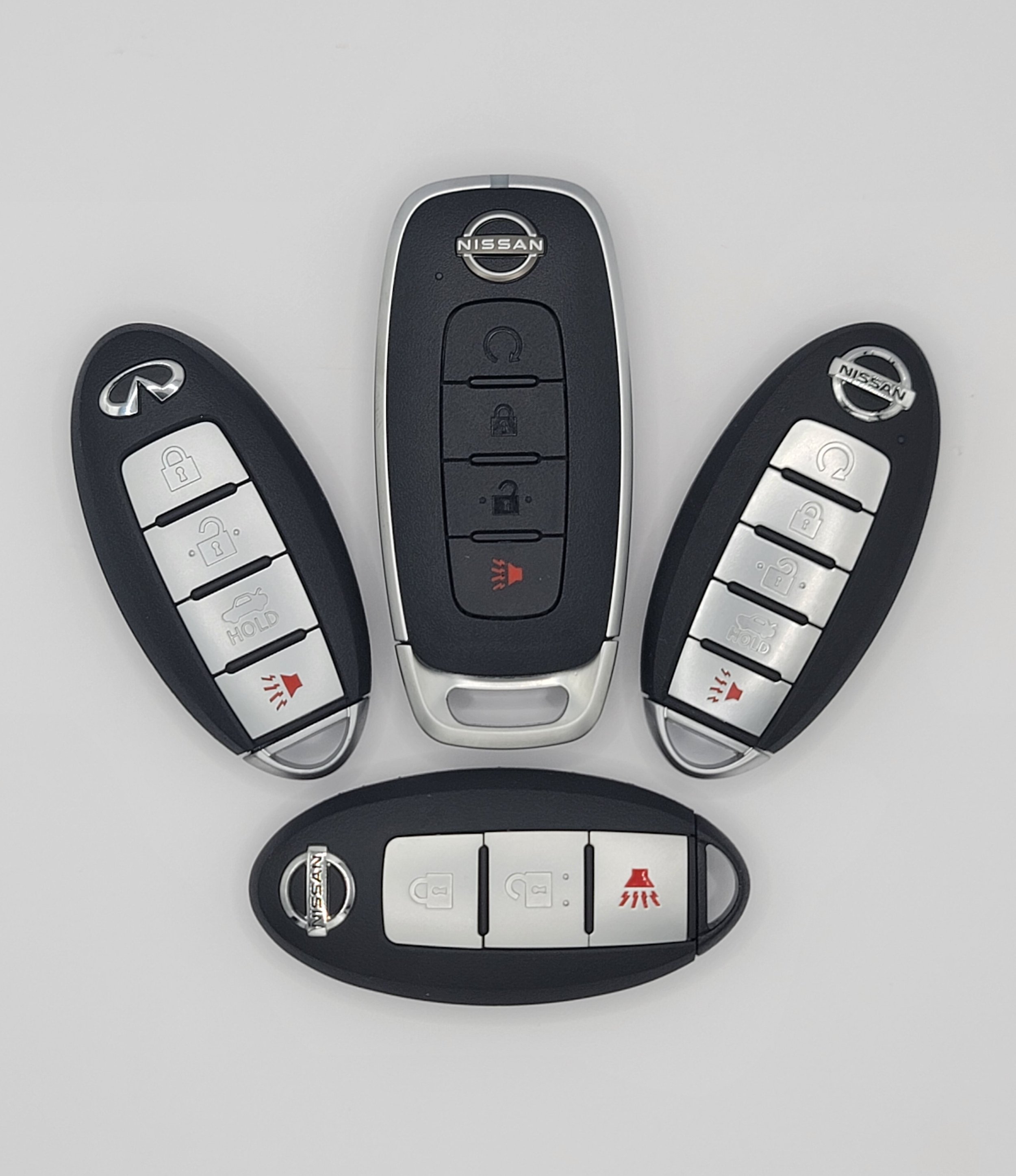
Nissan Intelligent Keys (I-Key)
Evolution of Nissan Electronic Key Systems
Nissan's electronic key technology has evolved dramatically over more than four decades. What began with a revolutionary credit-card-style entry system in 1985 has developed into today's sophisticated Intelligent Key and smartphone-based virtual key technologies.
Nissan has played an important role in the development of modern automotive access systems, introducing keyless and proximity-based features well before they became common across the automotive industry.
Nissan Electronic Key Technology Timeline
Nissan’s electronic key technology has evolved significantly over the years.
In 1985, the Card Entry System was introduced; electronic card-based vehicle entry.
During the 1990s, Remote Keyless Entry (RKE) became widespread, using RF remote fobs and Transponder / NATS Electronic immobilizer authentication.
From 2002 to the present, the Intelligent Key (I-Key) system has provided proximity-based vehicle entry and keyless starting.
In the late 2000s through the 2010s, Smart Key features expanded to include driver memory, remote climate-control functions, and mobile-key concepts.
In the 2020s, Nissan Virtual Key introduced smartphone-based vehicle access using Bluetooth Low Energy.
1. The Origin: Card Entry System — 1985
In 1985, Nissan introduced what it described as the world's first Card Entry System on the Nissan Skyline R31.
The Technology
Instead of carrying a conventional metal key, the driver could use a slim electronic card for vehicle access.
Why was Nissan's Card Entry System important?
The card-based system represented an early move toward electronic vehicle access and helped establish the concept of replacing a traditional key with a compact electronic device.
This concept would eventually evolve into the thin remote fobs and proximity-based smart keys used in modern vehicles.
2. Remote Keyless Entry and Transponders — 1990s
During the 1990s, Nissan increasingly adopted Remote Keyless Entry (RKE) systems together with electronic immobilizer technology.
Remote Keyless Entry
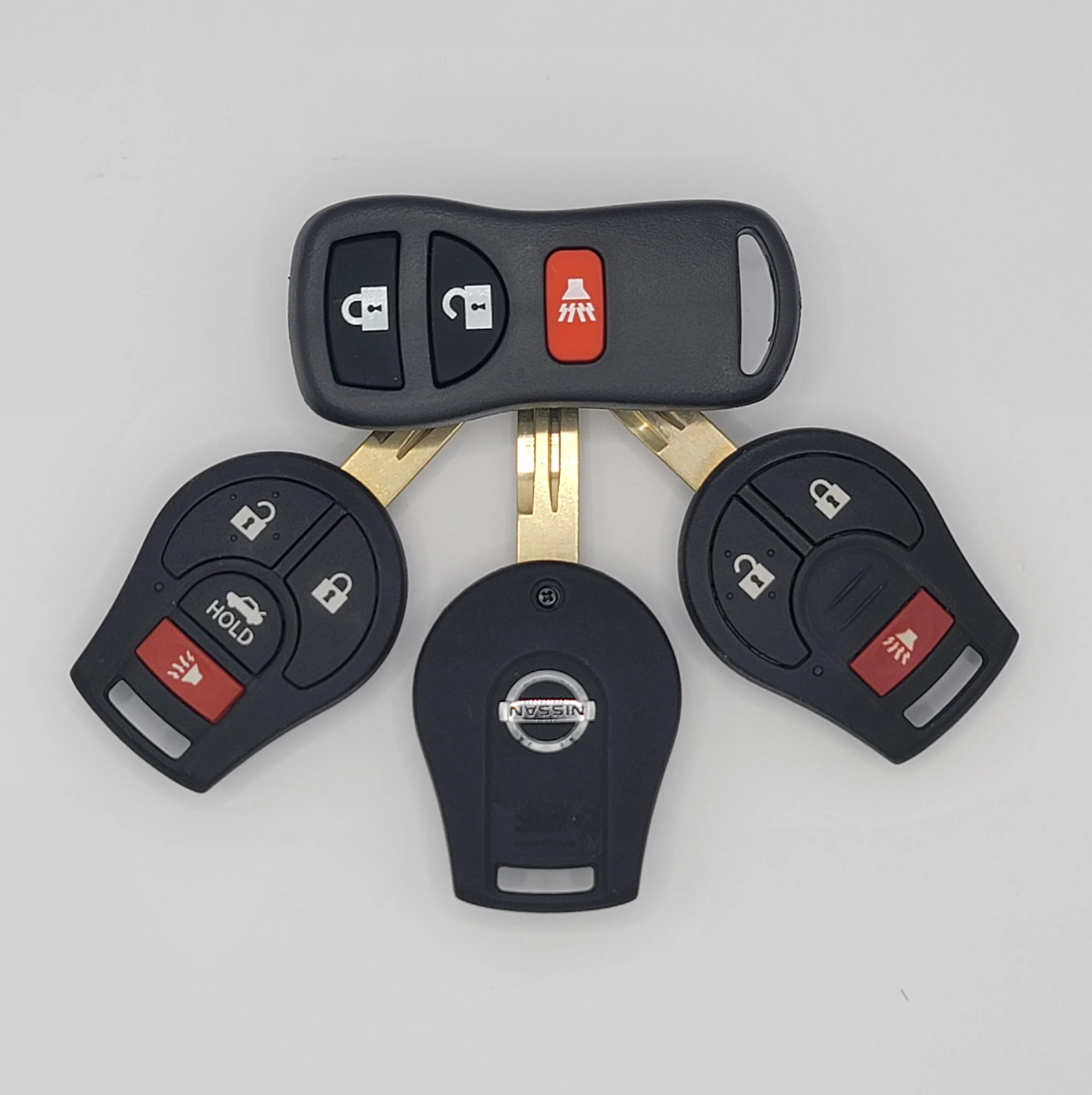
RKE systems allowed the driver to lock and unlock the vehicle using a small radio-frequency remote control.
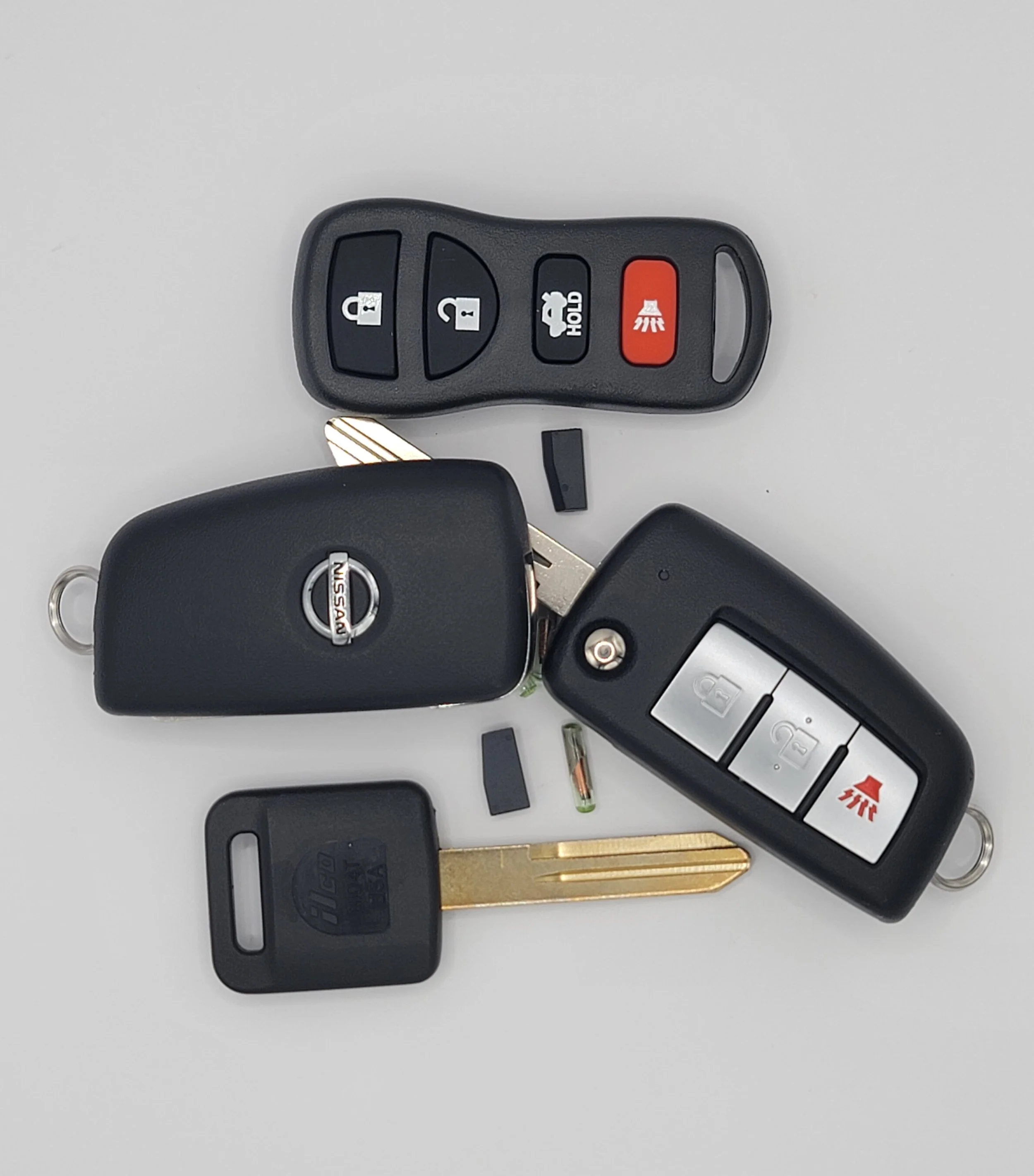
Early Nissan systems commonly used compact plastic fobs that were separate from, or integrated with, the vehicle's mechanical key.
Electronic Immobilizer
A transponder chip could also be incorporated into the key assembly.
When the driver attempted to start the vehicle, the immobilizer system verified the electronic identification associated with the key. If the required identification was not recognized, the engine-start authorization could be denied.
This separation between vehicle access and engine authorization became an important foundation for later Intelligent Key systems.
3. The Proximity Revolution: Nissan Intelligent Key
Nissan's Intelligent Key (I-Key) system represented a major transition away from conventional key-operated vehicle access.
Introduced on Nissan vehicles in the early 2000s, Intelligent Key technology allowed the vehicle to recognize an authorized key while it remained in the driver's possession.
How Intelligent Key Works?
An Intelligent Key system typically incorporates:
A wireless electronic key fob
Vehicle antennas and transceivers
A Body Control Module (BCM)
An immobilizer/security system
Electronic door-lock controls
An ignition or push-button starting system
The vehicle communicates with the key and verifies its identification before allowing certain functions to operate.
Keyless Entry
With the key fob in a pocket, purse, or other nearby location, the driver can operate the vehicle without inserting a conventional key into the door.
Depending on the model, touching or pressing a request switch on the door handle can initiate the access sequence.
Push-Button Starting
Later Nissan applications combined Intelligent Key technology with a push-button ignition.
The driver could keep the key in their possession, press the brake pedal, and operate the ignition switch to start the vehicle once the security system confirmed the authorized key.
Emergency Mechanical Key
Most Nissan Intelligent Key fobs also incorporate a concealed mechanical key blade.
This provides a backup method of physically unlocking the vehicle if the electronic system or fob battery is unavailable.
Key-Left-In-Vehicle Protection
Nissan Intelligent Key systems can monitor whether an authorized key is inside the vehicle or luggage compartment.
Depending on the vehicle and operating conditions, warnings or automatic unlocking functions may help prevent the driver from accidentally locking the key inside.
Important: Exact Intelligent Key functions vary by Nissan model, model year, market, and equipment level.
4. The Convergence of Key and Smart Features — Late 2000s–2010s
Nissan continued expanding the capabilities associated with its electronic key systems.
The key fob became more than a simple lock-and-unlock device, with certain Nissan vehicles offering additional convenience functions.
Mobile Intelligent Key Concept — 2008
In 2008, Nissan collaborated with NTT DOCOMO and Sharp on a prototype mobile phone incorporating Intelligent Key functionality.
The concept demonstrated an important direction for automotive technology: using a mobile phone as an electronic vehicle key.
Although this was a prototype rather than the modern smartphone-key ecosystem, it anticipated the convergence of mobile devices and vehicle access.
Driver Memory Functions
On suitably equipped Nissan vehicles, different keys can be associated with individual driver preferences.
Depending on the model, unlocking the vehicle with a particular key may recall settings such as:
Driver's seat position
Steering-wheel position
Outside mirror positions
This allows the vehicle to automatically configure itself for the recognized driver.
Remote Window Operation
Certain Nissan models provide remote window functions through the key fob.
Where supported, holding the appropriate remote button can operate the vehicle's windows, helping ventilate a hot cabin before entering.
Note: Remote window operation and memory functions are model-specific and should not be assumed to be available on every Nissan vehicle.
5. The Digital Era: Nissan Virtual Key
The evolution of Nissan vehicle access has increasingly moved toward smartphones and connected services.
The Nissan Virtual Key concept allows compatible vehicles to use a smartphone as a digital vehicle-access credential rather than relying exclusively on a physical key fob.
Bluetooth Low Energy
Virtual-key technology can use Bluetooth Low Energy (BLE) communication between the smartphone and vehicle.
This enables the smartphone to participate in vehicle access and authentication functions without requiring the driver to carry a traditional key fob.
Digital Key Sharing
One of the major advantages of a digital key is the ability to share vehicle access electronically.
Depending on the Nissan system and vehicle, an owner can provide authorized access to another person through the associated digital service.
This can be useful when:
Lending a vehicle to a family member
Sharing access with another driver
Providing temporary access
Eliminating the need to physically exchange a key
As connected-vehicle technology develops, the traditional physical key is increasingly becoming one component of a broader digital vehicle-access ecosystem.
Nissan Intelligent Key and Anti-Theft System DTCs
Nissan Intelligent Key and Nissan Anti-Theft System (NATS) problems can generate diagnostic trouble codes (DTCs) in modules such as the Body Control Module (BCM) and Engine Control Module (ECM).
Drivers may encounter messages such as:
Key System Error
No Key Detected
Incorrect Key ID
Immobilizer/security warning indicators
The exact meaning of a DTC can vary by Nissan model, model year, market, and control-module configuration. Always verify the code against the applicable Nissan factory service information before replacing components.
Commonly Referenced Nissan Key-System DTCs
DTC General Description Possible Area of Concern
B2191 / P1615 Difference of Key / key identification mismatch Key registration, key signal, interference, BCM/security system
B2192 / P1612 ID verification / BCM-ECM communication Communication between security-related modules
B2193 / P1611 ID verification BCM-ECM Security identification/authentication
B2198 NATS antenna amplifier connection Antenna circuit, wiring, connector or antenna amplifier
B2553 I-Key power distribution BCM power distribution or related ignition circuits
B260A Ignition relay feedback Ignition relay circuit or feedback signal
Important Diagnostic Note
These codes should not automatically be interpreted as proof that the key fob itself is defective.
A key-related DTC can be caused by problems elsewhere in the system, including:
Low vehicle-battery voltage
Weak key-fob battery
Damaged wiring
Poor electrical connections
Faulty antennas
BCM or ECM communication problems
Incorrect key registration
Radio-frequency interference
Security-system component failures
Proper diagnosis requires identifying the exact vehicle configuration and following the applicable factory diagnostic procedure.
Common Nissan Intelligent Key Problems
Several relatively simple issues can produce symptoms that initially appear to be major electronic-key failures.
1. Radio-Frequency Interference
Electronic devices located near the key can sometimes interfere with normal wireless communication.
Potential sources include:
Mobile phones
Electronic accessories
RFID devices
Other wireless keys
Aftermarket electronic equipment
Recommended Check
Move the Nissan key away from other electronic devices and attempt the operation again.
2. Weak Key-Fob Battery
A weak fob battery can reduce the reliability or range of wireless communication.
A common Nissan Intelligent Key battery is a CR2032, although the correct battery should always be confirmed for the specific fob.
Recommended Check
Replace the battery with the correct type and verify that the fob operates normally afterward.
If the vehicle continues to display a key warning, additional diagnosis may be necessary.
3. Low Vehicle-Battery Voltage
The vehicle's main 12-volt battery powers the BCM and other electronic systems involved in vehicle access and starting.
Low voltage can cause unusual electrical symptoms, including communication errors and apparent key-system problems.
Recommended Check
Test the vehicle battery and charging system rather than assuming the key fob is defective.
A fully charged automotive battery will generally measure above 12 volts at rest, but battery condition cannot be determined reliably from voltage alone.
4. Antenna or Wiring Problems
Intelligent Key systems use multiple antennas and electronic circuits to detect and authenticate the key.
A damaged antenna, corroded connector, loose terminal, or wiring problem can cause:
No Key Detected warnings
Intermittent key recognition
Failure to unlock
Failure to start
Key-system DTCs
A diagnostic scan and circuit inspection can help identify the affected component.
Aftermarket Nissan Chip Keys and Key Fobs.
Aftermarket replacement keys and Intelligent Key fobs can provide a lower-cost alternative to an OEM replacement, but compatibility is critical.
Not every aftermarket fob or transponder is compatible with every Nissan vehicle.
Common Aftermarket Key Problems
Key ID Incorrect or No Key Detected
An incorrectly specified or improperly programmed transponder may not communicate correctly with the vehicle's immobilizer system.
The result can be a Key ID Incorrect, No Key Detected, or similar warning.
Programming Failures
Nissan key registration procedures vary by vehicle.
A generic programming device may not support every Nissan security system or may not be capable of completing the required registration procedure.
Poor RF Performance
Low-quality aftermarket circuit boards, components, antennas, or solder joints can result in:
Reduced operating range
Intermittent button operation
Excessive battery drain
Unreliable vehicle recognition
Incorrect Transponder Technology
Aftermarket Nissan keys may use different transponder technologies depending on the vehicle.
References to technologies such as ID46 or HITAG-AES should therefore be treated as vehicle-specific rather than universally applicable to Nissan vehicles.
The correct replacement key must be matched to the vehicle's exact year, model, market, immobilizer system, and key specification.
What to Do When a Nissan Intelligent Key Is Not Detected
If the vehicle reports No Key Detected, several basic checks can be performed before assuming that the key or BCM has failed.
Step 1: Check for Interference
Move the key away from:
Smartphones
Other electronic keys
RFID devices
Aftermarket electronic equipment
Then try the vehicle again.
Step 2: Check the Key-Fob Battery
Install the correct replacement battery and verify that the battery is installed with the correct polarity.
Step 3: Try the Emergency Starting Procedure
Many Nissan push-button-start vehicles provide a backup procedure that allows the vehicle to recognize the Intelligent Key at very close range.
On applicable models, holding the Intelligent Key against or very close to the push-button ignition switch while operating the start procedure can allow the vehicle to read the key even when the fob battery is weak.
The exact emergency procedure varies by model. Consult the vehicle owner's manual for the correct procedure.
Step 4: Check the Vehicle Battery
If multiple electronic systems are behaving abnormally, test the vehicle's 12-volt battery and charging system.
Step 5: Scan the Vehicle
If the problem remains, use a suitable diagnostic scan tool to check the BCM, ECM, NATS, and Intelligent Key-related systems for stored DTCs.
Step 6: Verify Key Registration
If the vehicle does not recognize a replacement key, confirm that the key is the correct specification and has been properly registered to the vehicle.
A qualified automotive locksmith or Nissan dealership may be required for security-system programming.
OEM vs. Aftermarket Nissan Key Fobs
Choosing between an OEM and aftermarket key fob requires more than comparing purchase prices.
Feature OEM Key Fob
Vehicle compatibility: Designed for the specified application
Electronics: Factory-specification components
Security compatibility: Designed for the Nissan security architecture
Programming: Usually supported by applicable Nissan procedures
Button durability: Generally consistent
Cost: Usually higher
Risk of compatibility problems: Lower when correctly sourced
Aftermarket Key Fob
Vehicle compatibility: Depends heavily on supplier and part
Electronics: Quality varies
Security compatibility: Must be verified
Programming: Compatibility varies
Button durability: Quality varies
Cost: Often lower
Risk of compatibility problems: Higher if incorrectly specified
Advantages of OEM Key Fobs
Factory Compatibility
An OEM key is designed for the specific Nissan application for which it was manufactured.
Consistent Build Quality
Factory keys are manufactured to Nissan's specifications for the applicable vehicle system.
Security Integration
The key is designed to work with the vehicle's immobilizer and Intelligent Key architecture.
Reduced Compatibility Risk
Using the correct OEM part can reduce the possibility of problems caused by an incompatible circuit board, transponder, or wireless protocol.
However, OEM does not automatically mean the key will work without programming. Many Nissan keys must still be registered to the vehicle using the appropriate procedure and equipment.
Nissan Electronic Key Troubleshooting Checklist
When diagnosing an Intelligent Key problem, use a systematic approach rather than immediately replacing the key.
Check the key-fob battery.
Remove other electronic keys and RFID devices from the key ring.
Check for radio-frequency interference.
Test the vehicle's 12-volt battery.
Confirm that the replacement key is correct for the vehicle.
Check for BCM, ECM, NATS, and Intelligent Key DTCs.
Inspect relevant connectors and wiring.
Check Intelligent Key/NATS antennas where applicable.
Verify key registration.
Follow the Nissan factory diagnostic procedure for the specific DTC.
Have a qualified locksmith or Nissan technician perform security programming when required.
The Future of Nissan Vehicle Access
Nissan's electronic key technology illustrates the broader evolution of automotive security and convenience.
The progression has moved from:
Electronic card → RF remote → transponder immobilizer → Intelligent Key → smartphone-based virtual key
Each generation has reduced the driver's dependence on a traditional metal key while increasing the amount of electronic authentication taking place between the driver, vehicle, and access device.
The modern smartphone-based approach represents another major step: the vehicle key is no longer necessarily a physical object. Instead, vehicle access can become a digital credential that can be securely managed and shared through connected services.
As automotive technology continues to evolve, future vehicle-access systems are likely to place even greater emphasis on digital identity, wireless communication, personalization, and connected security.
Final Thoughts
Nissan's electronic key systems have evolved from the pioneering 1985 Card Entry System to sophisticated Intelligent Key and digital-access technologies.
Understanding this history also helps explain why modern Nissan key problems can involve much more than a simple mechanical key. The vehicle-access system may involve the key fob, transponder, antennas, BCM, ECM, immobilizer system, wiring, vehicle battery, wireless communication, and key-registration data.
When a Key System Error or No Key Detected message appears, the most effective approach is to diagnose the complete system rather than automatically replacing the key fob.
Do I have to go to the dealer to duplicate my Nissan car key?
No, you do not have to go to a Nissan dealership to duplicate your car key. Depending on your vehicle’s model year, you can save time and money by using a specialized automotive locksmith. A locksmith company like Automotive & Commercial Locksmith Inc. can offer better prices and convenient mobile services for cutting and programming new keys, including in situations where all keys have been lost or key fobs are damaged.
Disclaimer: Nissan electronic-key systems vary by model, model year, market, and equipment. DTC definitions, emergency-start procedures, key types, programming requirements, and component locations should be verified using the appropriate Nissan service information for the specific vehicle. This article is provided for general informational purposes and should not replace the manufacturer's diagnostic or repair procedures.
Nissan Remote Head Transponder Keys, and Remote
Nissan Transponder Keys, Remotes, and Remote Head Flip Key