This system was designed specifically as a parental control device.
With the Ford MyKey System, certain settings in the vehicle can be controlled by this feature. Once a key is configured to be a MyKey “Admin” Key, the holder of this key can restrict settings on the vehicle any time a MyKey “User” Key is used to drive the vehicle.
These restrictions include but are not limited to a speed limiter, a stereo volume limiter, radio content limitations, and an early low fuel level warning indicator. Any key programmed to start the vehicle can be made into a MyKey Admin Key so long as the MyKey System is not yet active or if an existing MyKey Admin Key is already available. When the MyKey System is active, and a MyKey User Key is used to operate the vehicle, a warning is displayed in the DIC/Driver’s Information Center
A MyKey Admin key can be used to adjust any of the limitations of the system, using the vehicle’s steering wheel controls or radio-mounted menu buttons.
How Do I Clear Ford MyKey® Settings?
You can use the information display or your vehicle's SYNC®* screen (if equipped) to clear the MyKey settings.
You can clear or change your MyKey settings as long as you do not turn off the vehicle after you create the MyKey. However, once you turn the vehicle off, you will need an admin key to change or clear your MyKey settings. If you do not have an admin key, you will need to purchase a new key.
Using the Information Display
Turn on your vehicle using an admin key.
Tab through the message center using the OK or the > button on the steering wheel:
Select Settings.
Select MyKey.
Select Clear MyKey.
Hold the OK button until you see a message indicating that all MyKeys have been cleared.
Using the SYNC screen
Turn on your vehicle using an admin key.
Tap Settings on your vehicle's SYNC screen.
Select Vehicle.
Tap MyKey and follow the instructions to clear MyKey. A confirmation message will appear in the display after you finish clearing your MyKeys.
Note: When you clear your MyKeys, you remove all restrictions and return all MyKeys to their original admin key status. You cannot remove the MyKey restrictions individually.
When there is no "Admin key" available:
This should be performed with the use of diagnostic equipment. To do this, make sure you have two keys to the vehicle. If you do not, you will need to make a second key. Once you have two keys cut for the vehicle, perform a “clear and erase” on the vehicle using diagnostic equipment. Cycle two keys into the vehicle’s memory. In most cases, this is all it takes to deactivate the MyKey System. In some cases, after a clear and erase, the MyKey System will still be active. In these cases, both of the keys that you just programmed to the vehicle will be Admin Keys. Use either of the keys in conjunction with the steering wheel controls or the radio-mounted menu buttons and deactivate the MyKey System.
Do I have to go to the dealer to duplicate my Ford car key?
No, you do not have to go to a Ford dealership to duplicate your car key. Depending on your vehicle’s model year, you can save time and money by using a specialized automotive locksmith. A locksmith company like Automotive & Commercial Locksmith Inc. can offer better prices and convenient mobile services for cutting and programming new keys, including in situations where all keys have been lost or key fobs are damaged.
Disclaimer: Ford electronic-key systems vary by model, model year, market, and equipment. DTC definitions, emergency-start procedures, key types, programming requirements, and component locations should be verified using the appropriate Ford service information for the specific vehicle. This article is provided for general informational purposes and should not replace the manufacturer's diagnostic or repair procedures.
Call Automotive & Commercial Locksmith Inc. Store to get your Ford or Lincoln key today
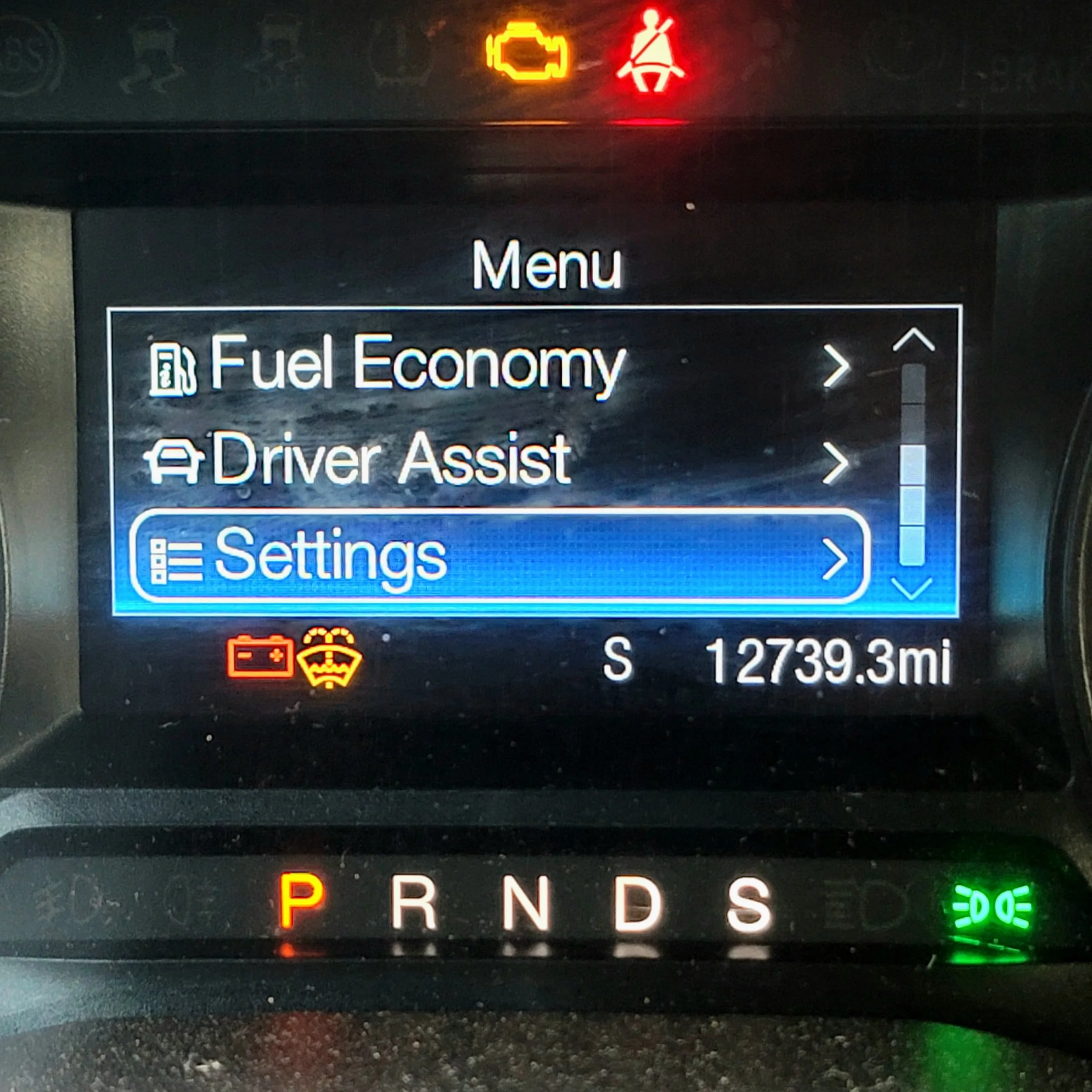
Ford dashboard
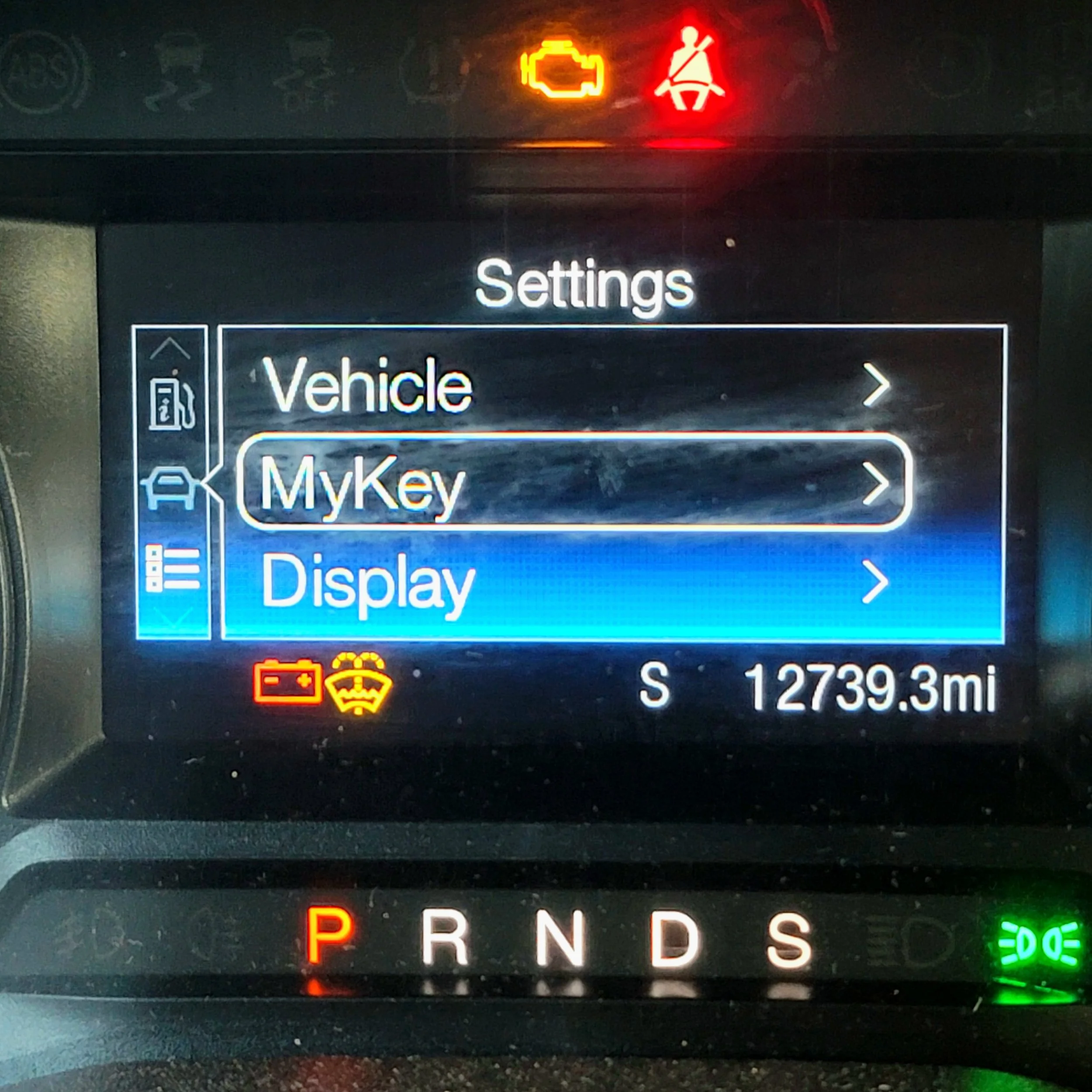
Ford Dashboard
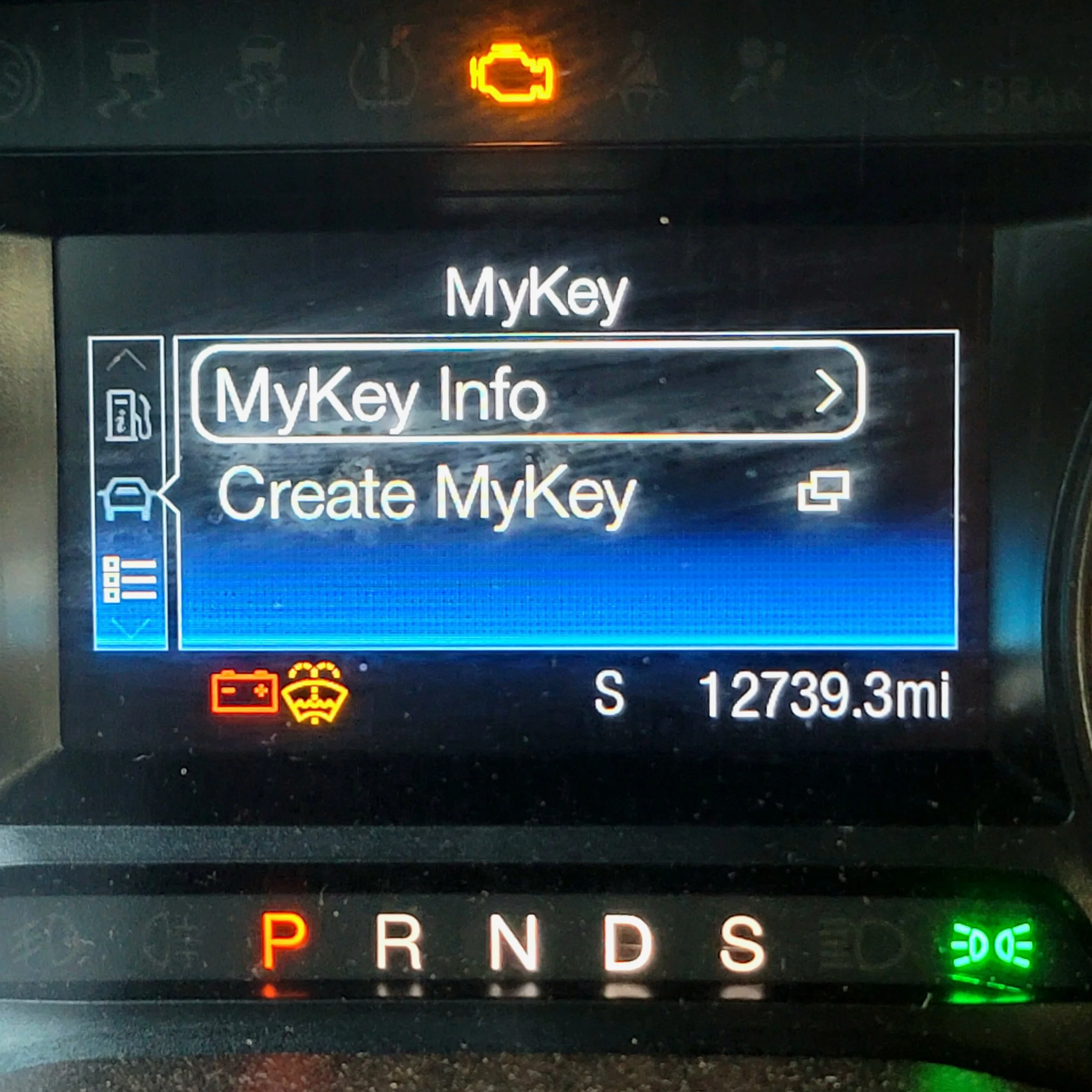
Ford dashboard